
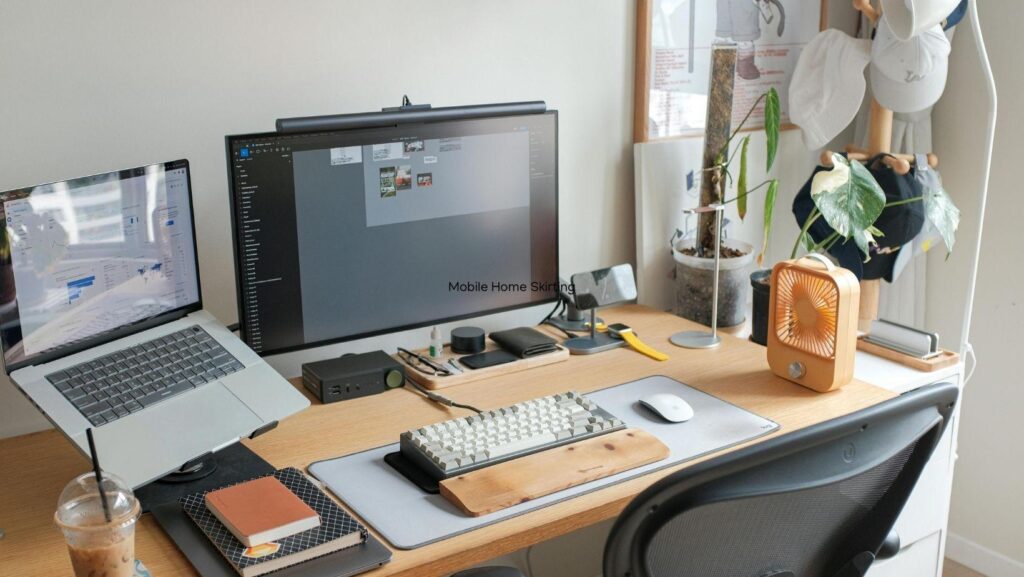
A truly efficient workspace is more than just a desk and a chair; it is a carefully calibrated environment designed to support cognitive flow and physical well-being. By intentionally selecting tools that reduce friction — such as a physical mute button for seamless meeting transitions — you can eliminate the minor frustrations that drain your mental energy. When your surroundings are optimized to handle the “mechanics” of work, your brain is free to focus entirely on high-level creative and analytical tasks.
Core Components of a Productive Workspace
Efficiency starts with the physical foundation of your environment. If your body is uncomfortable or your tools are scattered, your focus will inevitably suffer.
Ergonomic Setup and Comfort
Proper ergonomics are essential for maintaining stamina throughout a long workday.
- Monitor Alignment. The top third of your screen should be at eye level to prevent neck strain and “tech-neck” posture.
- Supportive Seating. An adjustable chair that provides lumbar support ensures that physical discomfort doesn’t become a distraction.
- Dynamic Movement. Incorporating a standing desk or a footrest allows for micro-adjustments in posture, keeping blood flow optimal.
Investing in an ergonomic foundation ensures that your physical health supports, rather than hinders, your professional output.
Effective Desk Organization
A cluttered desk often leads to a cluttered mind, as peripheral visual “noise” competes for your attention.
- the “Reach” Zone. Keep only your most frequently used items—like your keyboard, mouse, and a notepad—within arm’s length;
- Cable Management. Hidden cables reduce visual chaos and make the workspace feel more expansive and controlled;
- Digital Integration. Using hardware shortcuts like a physical mute button or a dedicated macro pad keeps your digital tools accessible without requiring you to hunt through open windows.
By streamlining your physical desktop, you create a psychological “blank canvas” that is ready for deep concentration.
Reducing Workplace Interruptions
Once the physical setup is complete, the next challenge is defending your time against the inevitable disruptions of a shared or home office.
Using Do Not Disturb Lights in the Office
Visual signals are the most effective way to communicate your availability without breaking your momentum. A “Do Not Disturb” light provides an instant status update to anyone in your vicinity, showing a red light when you are in a meeting or a deep-work phase. This removes the need for colleagues to guess if you are busy, drastically reducing the number of accidental walk-up interruptions.
Setting Clear Work Boundaries
Technological tools are most effective when backed by clear social and personal rules.
- Communication Protocols. Establish specific times for checking internal chats or emails rather than reacting to every notification.
- The “Headphones Rule.” Using noise-canceling headphones can serve as a universal symbol for “I am focused” even when music isn’t playing.
- Scheduled Unavailability. Marking focus blocks on your calendar prevents others from booking your time during your peak productivity hours.
Establishing these boundaries creates a predictable environment where you can commit to difficult tasks without the fear of being pulled away.
Sustaining Daily Productivity
Long-term efficiency requires a balance between high-intensity work and strategic recovery. Implementing a “shutdown ritual” at the end of the day—where you clear your desk and write a to-do list for the next morning—ensures that you don’t carry workplace stress into your personal time. Additionally, taking regular “eye-breaks” and stretching keeps your energy levels consistent, preventing the mid-afternoon slump that often derails productive days.
Conclusion: Designing Your Ideal Work Environment
Creating a highly efficient workspace is a personalized process of trial and error. By focusing on ergonomic comfort, organizing your tools for quick access, and using indicators to manage your availability, you build an environment that works for you. Whether it’s the tactile satisfaction of a physical mute button or the clear boundary of a status light, these small upgrades culminate in a significant boost to your overall output. Ultimately, your workspace should be a place that empowers you to do your best work with the least amount of resistance.
More Stories
The Evolution of Data Privacy in Modern Online Gaming Platforms
Betpanda Ethereum Casino: The Ultimate Destination for Crypto Gambling Enthusiasts
What To Do When a Construction Accident Changes Your Life